
April 12, 2025
AntiThree(4) - Bruno Simon 20K
Bruno Simon 20K
🔥 可利用概念
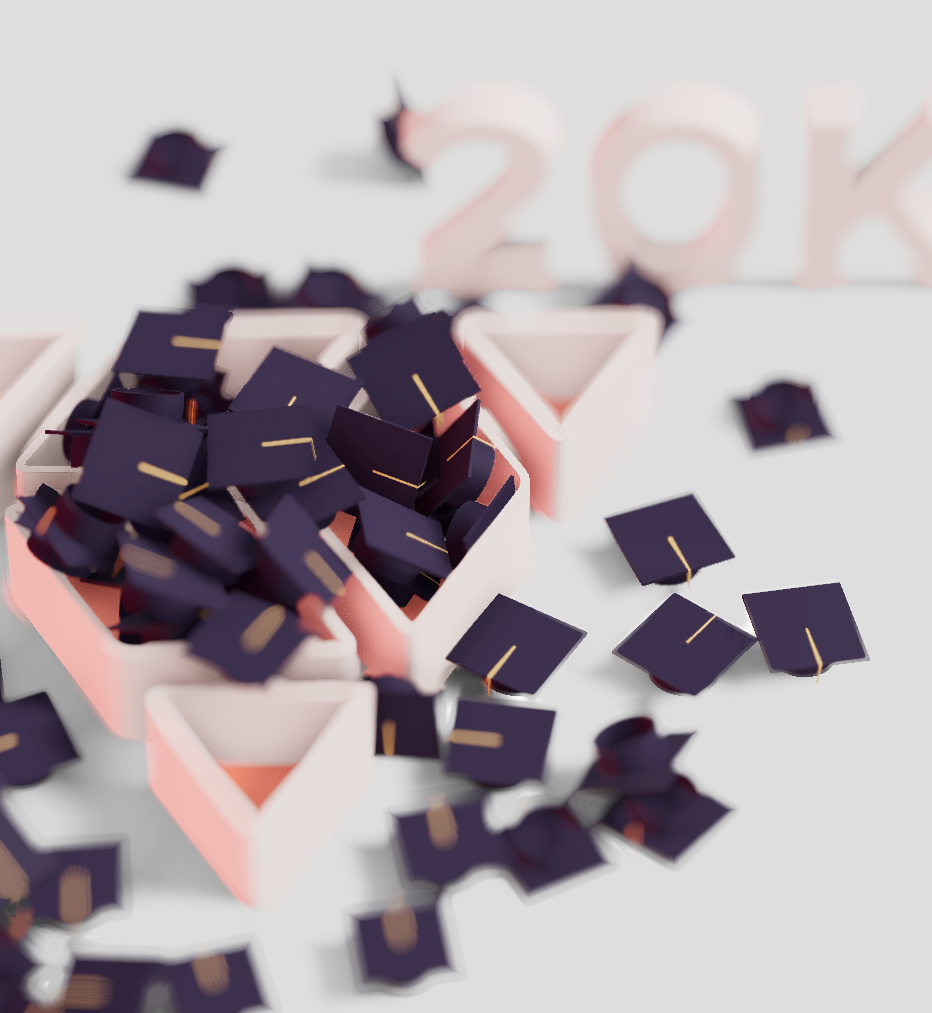
-
<Canvas flat />- 關閉色彩管理: Three.js 預設 sRGB 色彩空間, 自動將顏色做校正, 對於模擬真實光影有效, 且畫面較為自然
-
<directionalLight shadow-bias={-0.0001} />- 陰影偏移: 當光源照射到物體時,系統會計算哪裡應該是陰影。但因為浮點數精度限制,有時會導致物體自己「投下陰影到自己」的錯誤,這會造成像是表面多了奇怪的陰影條紋 —— 這就叫 shadow acne。
- 加入
shadow-bias可以讓系統在判斷「是否被遮擋」時,稍微偏移判斷距離,避開這個誤差,基本上是很小的值。
<Environment resolution={32}>
  <Lightformer position={[10, 10, 10]} scale={10} intensity={4} />
  <Lightformer position={[10, 0, -10]} scale={10} color="red" intensity={6} />
  <Lightformer position={[-10, -10, -10]} scale={10} intensity={4} />
</Environment><Environment>+<Lightformer>:打造 HDR-like 環境光源<Environment>在現實世界中,除了太陽或燈泡的「直射光」,更多的光是從牆壁、天空、地板反射回來 提供一個全域的光源背景環境。- 可以使用 HDR 貼圖, 也可以自訂 /
<Lightformer>放置光源在場景不同位置 / 產生環境反射、間接光照等效果 <Lightformer>是@react-three/drei提供的虛擬光源,它會生成一個 矩形的光面板(類似攝影棚的 softbox),用來模擬 HDR 環境中的亮源。
<AccumulativeShadows
  temporal                 // 啟用時間累積陰影(每幀都稍微不一樣)
  frames={Infinity}        // 無限幀,會一直加疊(畫面越久越真實)
  alphaTest={1}            // 遮罩透明的 alpha 門檻(通常 1 表示完全不透明)
  blend={200}              // 幀之間的融合速度,越高越平滑
  limit={1500}             // 陰影累積最大幀數
  scale={25}               // 陰影接地面的範圍
  position={[0, -0.05, 0]} // 接地面的位置
>-
<AccumulativeShadows>: 這是一種「逐幀累積陰影」的方式,來模擬:-
柔和的陰影(soft shadows)
-
多重反射與光的擴散(global illumination 的假象)
-
類似真實攝影棚的陰影(像在白背景上拍的產品)
(有
Accumlative)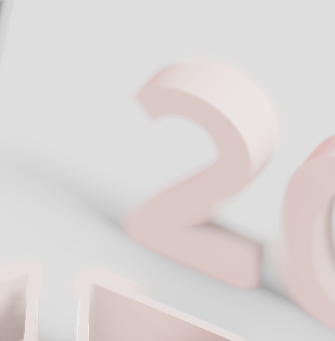
(沒有
Accumlative)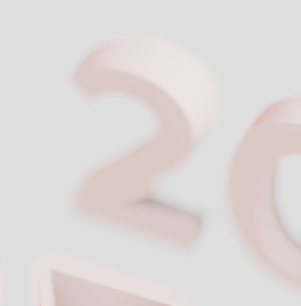
-
const instances = Array.from({ length: count }, (_, i) => ({
  key: i,
  position: [rand(2) + 1, 10 + i / 2, rand(2) - 2],
  rotation: [Math.random(), Math.random(), Math.random()],
}));

<InstancedRigidBodies instances={instances} colliders="hull">
  <instancedMesh
    receiveShadow
    castShadow
    args={[undefined, undefined, count]} // new InstancedMesh(geometry, material, count)
    dispose={null}
  >
    {/* Merging the hat into one clump bc instances need a single geometry to function */}
    <Geometry useGroups>
      <Base geometry={nodes.Plane006.geometry} material={materials.Material} />
      <Addition
        geometry={nodes.Plane006_1.geometry}
        material={materials.boxCap}
      />
    </Geometry>
  </instancedMesh>
</InstancedRigidBodies>;<InstancedRigidBodies>: 用 Instancing 來渲染大量物件,同時讓每個物件都有自己的物理剛體行為(可以掉落、碰撞、反彈等,如果用傳統RigidBody去建立超多物體,效能會死掉,透過 instances 建立 instanced mesh 會是高效能的。- 個別 instance 應該需要包含的數據:
{
  key: string | number,     // 唯一識別用
  position?: [x, y, z],     // 初始位置
  rotation?: [x, y, z],     // 初始旋轉(單位是 radians)
  scale?: [x, y, z],        // 可選:縮放
  // velocity, angularVelocity...(進階物理屬性)
}
<Geometry useGroups>
| 功能/特性 | <Geometry> | <group> |
|---|---|---|
| 基本用途 | 合併多個幾何體為單一幾何體 | 組織對象的層級結構 |
| 幾何數據處理 | 合併頂點、面和索引緩衝區 | 不合併幾何數據,僅組織引用 |
| 渲染方式 | 作為單一對象渲染 | 每個子元素單獨渲染 |
| Draw Calls | 減少 (單一調用) | 較多 (每個子元素一次) |
| 實例化支持 | ✅ 可直接實例化 | ❌ 整組無法直接實例化 |
| 內存使用 | 較高 (存儲合併數據) | 較低 (僅存儲引用) |
| 靈活性 | 子物體位置固定於合併時 | 子物體可動態調整位置 |
| 材質應用 | 可對不同部分應用不同材質 | 每個子對象可有獨立材質 |
| 適用場景 | 需要實例化的靜態對象 | 需要動態調整的組合對象 |
| 性能優化 | 適合大量重複對象 | 適合需要單獨控制的對象 |
| 編輯難度 | 合併後難以編輯單個部分 | 可輕鬆編輯各個子部分 |
import { MathUtils } from "three";
import { Canvas } from "@react-three/fiber";
import {
  useGLTF,
  AccumulativeShadows,
  RandomizedLight,
  OrbitControls,
  Environment,
  Lightformer,
} from "@react-three/drei";
import {
  EffectComposer,
  DepthOfField,
  N8AO,
  ToneMapping,
} from "@react-three/postprocessing";
import { Geometry, Base, Addition, Brush } from "@react-three/csg";
import {
  Physics,
  RigidBody,
  CuboidCollider,
  InstancedRigidBodies,
} from "@react-three/rapier";

export const App = () => (
  <Canvas
    flat
    shadows
    gl={{ antialias: false }}
    camera={{ position: [-30, 35, -15], near: 30, far: 55, fov: 12 }}
  >
    {/* Lighting, environment and colors */}
    <color attach="background" args={["#f0f0f0"]} />
    <ambientLight intensity={0.5} />
    <directionalLight
      position={[-10, 10, 5]}
      shadow-mapSize={[256, 256]}
      shadow-bias={-0.0001} // 解決陰影失真問題
      castShadow
    >
      <orthographicCamera attach="shadow-camera" args={[-10, 10, -10, 10]} />
    </directionalLight>
    <Environment resolution={32}>
      <Lightformer position={[10, 10, 10]} scale={10} intensity={4} />
      <Lightformer
        position={[10, 0, -10]}
        scale={10}
        color="red"
        intensity={6}
      />
      <Lightformer position={[-10, -10, -10]} scale={10} intensity={4} />
    </Environment>
    {/* Moon physics */}
    <Physics gravity={[0, -4, 0]}>
      <Scene position={[1, 0, -1.5]} />
      <Hats />
      // 物理平面
      <RigidBody position={[0, -1, 0]} type="fixed" colliders="false">
        <CuboidCollider restitution={0.1} args={[1000, 1, 1000]} />
      </RigidBody>
    </Physics>
    {/* Soft shadows, they stop rendering after 1500 frames */}
    <AccumulativeShadows
      temporal
      frames={Infinity}
      alphaTest={1}
      blend={200}
      limit={1500}
      scale={25}
      position={[0, -0.05, 0]}
    >
      <RandomizedLight
        amount={1}
        mapSize={512}
        radius={5}
        ambient={0.5}
        position={[-10, 10, 5]}
        size={10}
        bias={0.001}
      />
    </AccumulativeShadows>
    {/* Effects */}
    <EffectComposer>
      <N8AO aoRadius={0.5} intensity={1} />
      <DepthOfField target={[0, 0, -2.5]} focusRange={0.1} bokehScale={10} />
      <ToneMapping />
    </EffectComposer>
    {/* Controls */}
    <OrbitControls
      autoRotate
      autoRotateSpeed={0.1}
      enablePan={false}
      enableZoom={false}
      minPolarAngle={Math.PI / 4}
      maxPolarAngle={Math.PI / 4}
    />
  </Canvas>
);

function Scene(props) {
  const { nodes, materials } = useGLTF(
    "/blender-threejs-journey-20k-transformed.glb"
  );
  return (
    <group {...props} dispose={null}>
      <RigidBody type="fixed" colliders="trimesh">
        <mesh
          castShadow
          receiveShadow
          geometry={nodes.boxBase.geometry}
          material={materials.boxBase}
        />
        <mesh
          receiveShadow
          geometry={nodes.boxBack.geometry}
          material={materials.inside}
        />
        <mesh
          castShadow
          receiveShadow
          geometry={nodes.Text.geometry}
          material={materials.boxBase}
        />
      </RigidBody>
    </group>
  );
}

function Hats({ count = 80, rand = MathUtils.randFloatSpread }) {
  const { nodes, materials } = useGLTF(
    "/blender-threejs-journey-20k-hat-transformed.glb"
  );
  const instances = Array.from({ length: count }, (_, i) => ({
    key: i,
    position: [rand(2) + 1, 10 + i / 2, rand(2) - 2],
    rotation: [Math.random(), Math.random(), Math.random()],
  }));
  return (
    <InstancedRigidBodies instances={instances} colliders="hull">
      <instancedMesh
        receiveShadow
        castShadow
        args={[undefined, undefined, count]}
        dispose={null}
      >
        {/* Merging the hat into one clump bc instances need a single geometry to function */}
        <Geometry useGroups>
          <Base
            geometry={nodes.Plane006.geometry}
            material={materials.Material}
          />
          <Addition
            geometry={nodes.Plane006_1.geometry}
            material={materials.boxCap}
          />
        </Geometry>
      </instancedMesh>
    </InstancedRigidBodies>
  );
}